HomeWireless scanning to cloud
Price (₦)
-
Discount Percentage
Brand
Wireless scanning to cloud
(52 products found)
Discover the future of document management with wireless scanning to cloud solutions. Effortlessly digitize and store your important files securely in the cloud, enhancing accessibility and collaboration. Streamline your workflow and reduce physical clutter while ensuring your documents are always at your fingertips, no matter where you are. Embrace efficiency today!


1080P Wireless 360 Rotate Auto Tracking Panoramic Camera Light Bulb Wifi
₦ 50,000


Ricoh Fujitsu ScanSnap iX2500
₦ 959,000


Out of Stock
TP-Link EAP110 - 300Mbps Wireless N Ceiling Mount Access Point
₦ 55,200

olax wifi m200
₦ 58,999


Out of Stock
TP-Link N300 Wireless N Ceiling Mount Access Point- EAP110
₦ 62,000
₦ 67,000
-8%


Out of Stock
Polyvision Sky Vision 8CH Wireless Cctv System.
₦ 724,000
₦ 780,000
-7%


Panorama 4x Zoom Wifi Security Camera
₦ 23,500
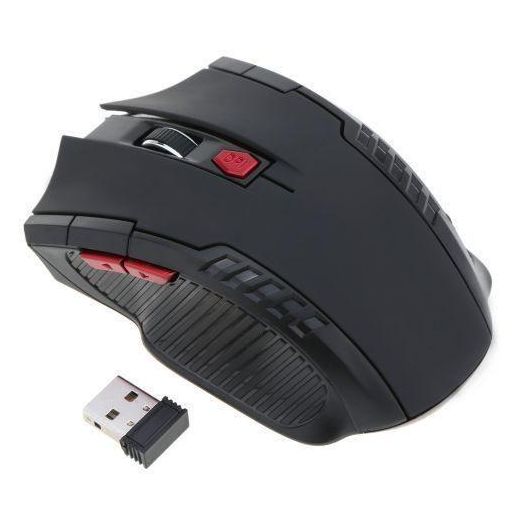
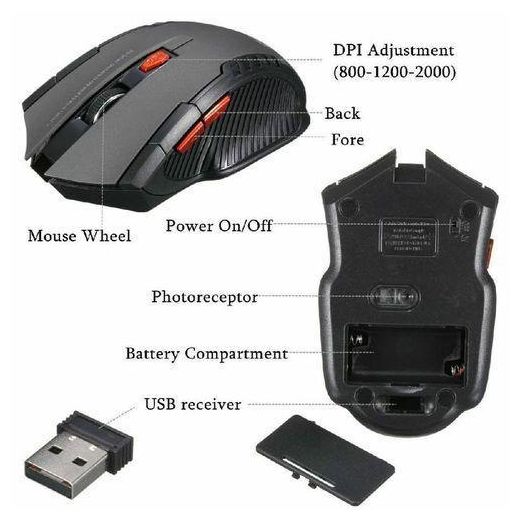
2.4Ghz Wireless Gaming Mouse/Mice
₦ 11,999
₦ 35,000
-66%


Wired Scanning Platform Omini-directional Barcode/QR Code
₦ 75,000


Tera 1D Laser Barcode Scanner: USB Wired Long Range High Speed Handheld 1D Bar Code Reader Plug and Play, L5100Y
₦ 55,080
Low Stock


WiFi camera
₦ 19,800


OBDII V1.5 Advanced Car Wireless -Scanning Aid
5 (1)
₦ 17,950
₦ 30,000
-40%
Frequently Asked Questions About wireless scanning to cloud
How do I choose the right printer for wireless scanning to cloud?
To choose the right printer for wireless scanning to cloud, pick a Canon Pixma all‑in‑one from the Pixma series that supports wireless networking and native scan‑to‑cloud features. Check that the printer can connect to cloud services via its companion app and supports common services like Google Drive, Dropbox, or OneDrive. Look for cloud‑friendly features such as direct scan‑to‑cloud, automatic file naming, and support for standard formats (PDF, JPEG). If you expect to scan multi‑page documents, verify an automatic document feeder and reasonable scan speeds. Canon Pixma series models with cloud‑link capabilities are a reliable starting point for seamless wireless scanning to cloud.
What is the most complex attribute to consider for wireless scanning to cloud, and why does it matter?
The most complex attribute is cloud integration and compatibility with your preferred services. You must verify which cloud platforms are supported by the printer’s app (for example Google Drive, Dropbox, OneDrive) and how files are transferred (directly from scan, via the app, or through cloud gateways). Also consider file formats, scan resolution, OCR language support, and whether batch processing is available. Good cloud integration makes it easy to automate naming, routing to specific folders, and sharing scanned documents with teammates.
Which usage scenario best illustrates the difference between beginner and pro needs for wireless scanning to cloud?
For a beginner, choose a printer with simple setup and one‑tap cloud sending to common folders. A pro benefits from OCR, multi‑page scanning with an automatic feeder, high‑volume handling, and granular folder rules plus secure sharing options. In both cases ensure reliable cloud connections and straightforward app controls to minimize setup time.
What maintenance and compatibility tips help keep wireless scanning to cloud working smoothly?
Keep firmware and companion apps updated to maintain cloud compatibility and security. Reauthorize cloud connections when tokens expire and verify OS compatibility with the printer app. Regularly clean the scanner glass and ensure the automatic document feeder is functioning. Check your Wi‑Fi network stability and monitor cloud service status to avoid interruptions.
What are the setup steps to enable wireless scanning to cloud on these printers?
First, connect the printer to your Wi‑Fi network. Then install the printer’s companion app on your device and add your cloud services, authorizing access. Place your document on the scanner, select the scan‑to‑cloud option, and choose the destination folder in your cloud storage. Run a test scan to confirm the document lands in the cloud correctly. These steps work with Canon Pixma series printers that feature cloud connectivity and wireless scanning.