HomeNetwork device
Express Delivery
Price (₦)
-
Discount Percentage
Brand
AICOAirtelAnengBelkinChina ImpressionCiscoD-LinkDlinkDNXTEarldomElectronic NecessitiesGBLEICXYGenericGloHauweiHsdpaKeyangLinksysMicrosoftMifaMikrotikMini Wifi AdapterMtngMtn OpsMtn QhubekaNetlinkNetworkOLAXOnnOntenONVOriginaPorodoQualityReaRj11RohsRouteSky VisiontendaTOOLSTP-LinkTP LinkTPLinkUbiquitiUbiquiti NetworksUsbUSB HUBVidvieWAVLINKXiaomiYaticrabZLTZTE
Network device
(888 products found)
Discover a wide range of high-quality network devices designed to enhance your connectivity and streamline your digital experience. From routers and switches to modems and access points, our selection ensures optimal performance for both home and business environments. Each device is engineered for reliability and speed, enabling seamless communication and data transfer. Explore our collection to find the perfect network solution tailored to your needs and elevate your online presence today.

Mtng Wireless Wifi Router For All Network +Free Router Power Bank - Model S20
₦ 55,000

Mtng Wireless Wifi Router For All Network +Free Router Power Bank - Model S20
₦ 50,000


TP-Link Archer Mr200 Ac750 Wireless Dual Band 4g Lte Router
₦ 135,000
Low Stock


2.4G WiFi Amplifier 300Mbps Wireless WIFI Repeater 2.4G Router Wifi Range Extender WiFi extender 802.11N Network Card Adapter For PC
₦ 14,157
₦ 23,456
-40%
Low Stock

Mtng 4G universal MiFi - WiFi6 + Free 30GB Data Bonus On Activation TypeC port M80+
₦ 29,999

Out of Stock
Network Attached Storage
₦ 216,000


D-Link Des-1024D
₦ 170,000

5G/4GLTE Universal Mifi Cat6 WiFi Pro Super Software LCD Display
₦ 33,000
offers from

TP-Link Tl-wr840n 300mbps Wireless N Router
4.5 (2)
₦ 50,000
Low Stock


ALFA Mini WiFi Adapter 300Mbps – USB Wireless LAN Card for PC & Laptop – WiFi Receiver – Plug & Play
1 (1)
₦ 6,000


TP Link TL-WA801N 300Mbps Wireless N Access Point
₦ 30,200

300 Mbps mini USB wireless network adapter
₦ 9,999
offers from

ZTE Mtng 4G Wireless Router MF293N + Free 50GB Data Sim Card Without Power Bank
₦ 28,500

ZTE Mtng 4G Wireless Router MF293N + Free 50GB Data Sim Card Without Power Bank
₦ 28,999
offers from


TP-Link 300mpbs Wireless N Access Point TL-WA801N
₦ 35,150
₦ 37,000
-5%
offers from


Out of Stock
Mtn Ops Ops 4G CAT4 Router MTNg T10D + POWERBANK
₦ 25,000

20m Cat6e RJ45 Ethernet Networking Cable
₦ 12,000
₦ 12,500
-4%
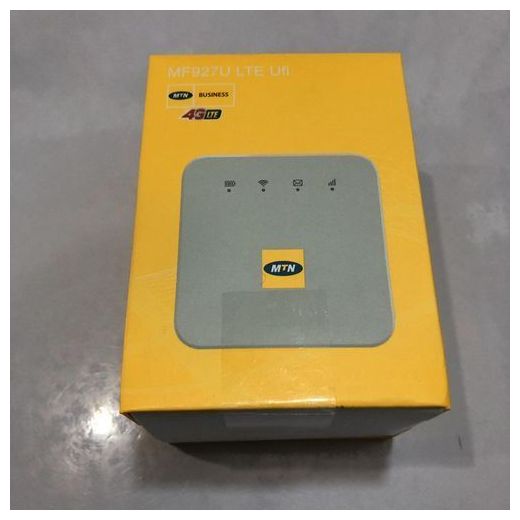
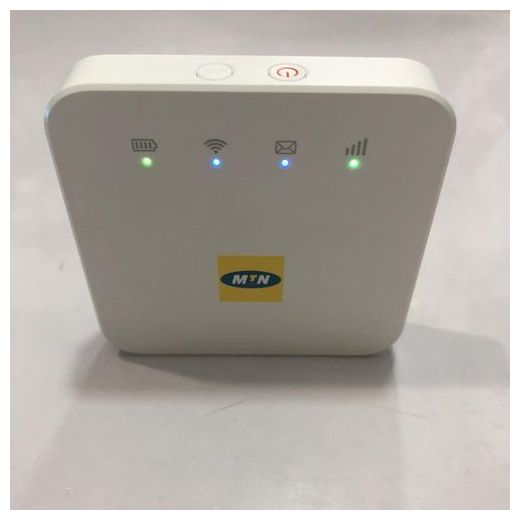
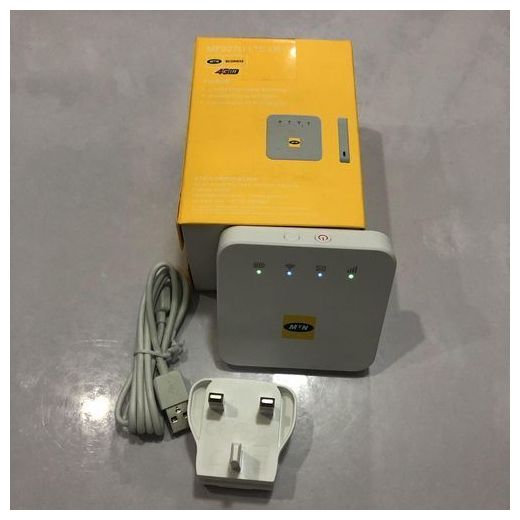
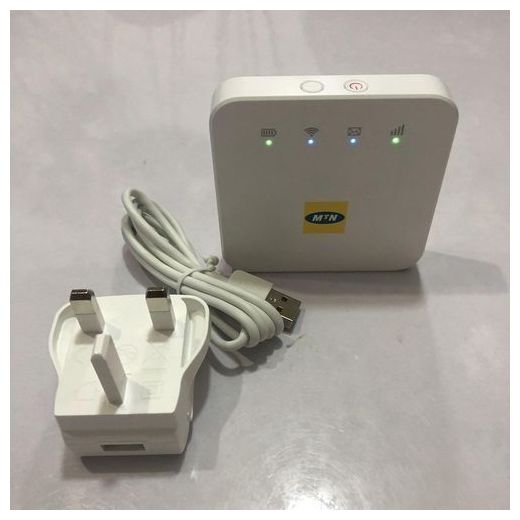
MF927U 4G LTE MTNG Mobile Wi-Fi Router Hotspot
₦ 89,300
₦ 96,890
-8%


Out of Stock
Mtng UNLOCKED MTNng 4G LTE MIFI WIFI ROUTER FOR ALL NETWORK PLUS 30GB DATA BONUS
₦ 35,000


GBLEICXY Industrial 16-RJ45 Port 10/100/1000BASE-T Ethernet Switch (PoE)
From ₦ 185,760
Low Stock
More Variants Available
Low Stock
Jumia Express

TP-Link 4G LTE Router TL-MR100
₦ 99,000
Low Stock


Universal pocket size Wifi Adapter for all network
3.6 (5)
₦ 28,000
₦ 30,000
-7%

Mini Bluetooth Dongle For Laptop/Desktop Computer
₦ 3,850
₦ 5,000
-23%


TP Link MR100 4G LTE 300MBPS SIM ROUTER
₦ 105,000

USB 3.0 Gigabit RJ45 Ethernet LAN Network Adapter
4.7 (7)
₦ 8,000

PIX-Link LS1005 5-Port 10/100Mbps Desktop Switch
₦ 17,999
offers from


POE432 Portable power supply Mini DC UPS 10400MAH
₦ 30,000


OLAX AX5 Pro 4G 4 LAN Ports Industrial Router For All Networks
₦ 113,896
₦ 199,589
-43%

Cat5e Ethernet Network Cable with RJ45 Connectors
From ₦ 14,500
More Variants Available


USB WIFI Stick Adapter
4 (3)
₦ 7,505
₦ 8,000
-6%

600Mbps Wireless USB WiFi Adapter Dongle 2.0GHz Network LAN
5 (1)
₦ 5,000


Out of Stock
Mtng Mtńg 4G CAT4 Router T30D +50 GB DATA SIM With Inbox POWERBANK
₦ 58,999


Out of Stock
Mtng Mtńg 4G CAT4 Router T30D +50 GB DATA SIM With Inbox POWERBANK
₦ 49,999

Networking Crimping Tool
₦ 7,000


TP-Link AX1500 Wi-Fi 6 Range Extender - RE500X
5 (1)
₦ 90,000
offers from

TP-Link TL-WR940N 450mbps Wireless Router
₦ 79,000


Stick USB WIFI Adapter 150Mbps Wifi Stick Rotating Antenna
₦ 6,999
₦ 8,500
-18%

ZLT 4G Pocket Wifi Plus 30gig Free Data M.T.N ONLY
4.7 (3)
₦ 25,999
Low Stock


WAVLINK Type C Ethernet Adapter To RJ45 Lan Adaptor 5000Mbps Internet Network Card USB TypeC 3.0 to 5Gbps internet High speed
₦ 52,250
₦ 55,000
-5%
Low Stock


TP-Link 300MBps Universal WiFi Range Extender & Repeater
₦ 42,000
Frequently Asked Questions About network device
How do I choose the right network device category for my setup?
The answer is to match your goal: wired connections, wireless range extension, or network diagnostics. Start by identifying whether you need a USB-to-Ethernet adapter, a WiFi repeater, a portable hotspot, or a cable tester, and then compare speed, compatibility, and portability. For example, USB-network adapters and USB to Ethernet devices suit laptops or desktops, while device-servers like WiFi repeaters extend wireless coverage, and cable testers verify wiring and reliability of your network device setup. This ensures you pick a network device that fits your home or small-office needs without overpaying for features you won't use.
What does “Gigabit up to 1000 Mbps” mean for a network device, and why does it matter when choosing a USB Ethernet adapter or Ethernet splitter?
Gigabit up to 1000 Mbps means a theoretical maximum data rate of about 125 MB per second, which helps you avoid bottlenecks in busy networks. To achieve this, choose devices that support full-duplex gigabit Ethernet and, for USB adapters, USB 3.0 or higher with stable power; for dual-port splitters, ensure your power supply can support both ports simultaneously. In practice, a USB-C network Ethernet adapter or USB 3.0 Gigabit RJ45 adapter will handle everyday tasks, while a dual-port Ethernet splitter lets two devices share a high-speed link if your source supports it. Consider your devices, cables, and whether you need sustained throughput or bursty traffic.
When should I use a WiFi repeater versus a portable hotspot, depending on my usage scenario?
Use a WiFi repeater to extend an existing home or office wireless network when you want seamless coverage without changing service; a portable hotspot is ideal for on-the-go internet where a local router isn’t available. For home setups, a generic WiFi Repeater or Wireless-N WiFi Repeater can improve range, while travelers benefit from a 5G MiFi portable WiFi hotspot device from mtng for independent connectivity. Choose based on whether you prioritize shared home coverage or self-contained internet access while commuting.
What maintenance and compatibility checks should I perform before mounting or using a network device like a USB Ethernet adapter or a cable tester?
Verify OS driver availability and USB or Ethernet compatibility before purchase, and keep firmware up to date. Use standard interfaces such as USB 3.0 and RJ45 for reliable performance; test cables with a cable tester to confirm wiring integrity, and store or mount devices away from heat and moisture. For practical setup, ensure the USB power cable included with multi-device hubs is connected to a reliable power source, and check that both ends of any Ethernet cable meet Cat5e/6 standards. This proactive maintenance reduces troubleshooting time and ensures consistent operation of your network device.
What are the practical differences between a USB-C network adapter and a dual-port Ethernet network splitter for a small workspace?
A USB-C network adapter adds wired Ethernet to devices lacking an Ethernet port, while a dual-port Ethernet splitter shares a single network link between two devices at gigabit speeds. In a small workspace, use the USB-C network adapter for laptops or tablets with USB-C, and use the dual-port splitter to connect two devices to one high-speed line if your router and cables support it. This approach lets you expand wired connectivity without installing new ports or running new cabling.
How can I quickly test and troubleshoot a network device to ensure it’s working properly?
Start with a known-good Ethernet cable and a device that supports gigabit speeds to test the link. Use a remote cable tester or a 4 In 1 Cable Tester to verify continuity, pinout, and cable health, then check link LEDs and throughput. If issues persist, try alternate USB ports or power options for USB devices and re-test after resetting the device. A quick validation with these tools confirms whether the network device, such as a USB-to-Ethernet adapter or a repeater, is functioning correctly.