HomeMulti device dongle
Express Delivery
Price (₦)
-
Discount Percentage
Brand
Multi device dongle
(22 products found)
Related results:
Discover the versatility of a multi-device dongle, the ultimate solution for seamless connectivity across various devices. Whether you're at home or on the go, this compact accessory ensures reliable internet access, enhancing productivity and entertainment. Explore our range of multi-device dongles to elevate your digital experience today.


Yinowo USB C Hub Multiport Adapter, 7 in 1 USBC Dongle with 4K HDMI, RJ45 Ethernet, 100W PD Charging, USB 3.0, SD/TF Card Reader, USB-C Docking Station for MacBook Pro/Air, Dell, and Other Type C Devices
3.7 (3)
₦ 7,845
₦ 10,800
-27%
Jumia Express


4G LTE Wireless USB MIFI/UFI Dongle Mobile Broadband 150Mbps Modem Stick 4G Sim Card Wireless Router Home Office Wireless WiFi Adapter
3.8 (18)
₦ 13,700
₦ 31,160
-56%
Jumia Express


Yaticrab 4G LTE USB Modem WiFi | 150Mbps Speed | Driver - Free | Multi - Device Hotspot
3.4 (23)
₦ 14,363
₦ 28,800
-50%
Low Stock
Jumia Express

AnyCast M9 Plus HDMI TV Stick 1080P "No Need Mode Switching" 3D WiFi Wireless Mini Display Receiver Dongle
₦ 10,700


Ugreen USB C Hub 5 in 1 Multiport USB Adapter 4K HDMI, 100W Power Delivery, 3 USB-A Data Ports, USB C Dongle for MacBook Pro,Air M5,M4,M3,M2,M1, iPad Pro, iMac, iPhone 16 Pro/Pro Max, XPS, Thinkpad
₦ 78,000
₦ 106,000
-26%
Low Stock

Mini Bluetooth Dongle For Laptop/Desktop Computer
3.5 (2)
₦ 3,200
₦ 9,000
-64%
offers from

AnyCast M9 Plus HDMI TV Stick 1080P "No Need Mode Switching" 3D WiFi Wireless Mini Display Receiver Dongle HDMI TV Miracast DLNA Airplay For IOS Apple IPhone IPad Android Smartphone Windows
2.5 (2)
₦ 11,200

External USB Mini-Bluetooth Dongle For Laptop/Desktop Computer
3.3 (6)
₦ 3,490
offers from


USB Mini Bluetooth Dongle For Laptop/Desktop Computer
4.2 (54)
₦ 4,990


Ugreen USB C Hub 5 in 1 Multiport Adapter Revodok 4K HDMI, 100W Power Delivery, 3 USB-A Data Ports, USB C Dongle for MacBook Pro/Air, iPad Pro, iMac, iPhone 16 Pro/Pro Max, XPS, Thinkpad
5 (1)
₦ 158,000
Low Stock


Portable USB Bluetooth Wireless Dongle
1 (1)
₦ 4,750
₦ 10,000
-53%
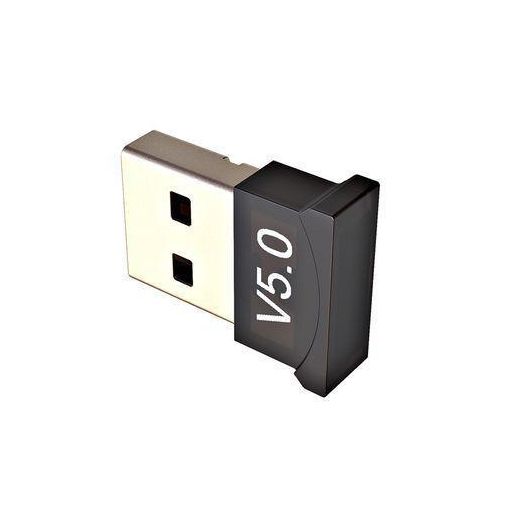
Wireless Bluetooth Dongle (5.1)
₦ 4,800
₦ 9,000
-47%

Super 4G Universal USB Wingle Modem Dongle+WiFi(Plug-N-Play)
4.5 (2)
₦ 25,649
₦ 28,900
-11%

3-in-1 LTE 4G USB Wi-Fi Modem Dongle – 150 Mbps Plug & Play Wireless Hotspot Router (Supports Up to 10 Devices)
₦ 20,879
₦ 40,000
-48%


Mini USB Wifi Dongle Wireless Adapter
5 (2)
₦ 5,999

AnyCast M4 Plus Wireless WiFi Display Dongle Receiver
₦ 17,500
₦ 19,000
-8%


Ugreen Revodok USB C Hub 6 in 1 USB C Dongle 4K HDMI
₦ 85,000
Low Stock

Hp External USB Mini-Bluetooth Dongle For Laptop/Desktop Computer
₦ 5,500


Universal WiFi Wireless Portable 4G LTE USB Modem Dongle
₦ 21,899


Wireless Bluetooth Dongle 5.0
₦ 4,999
Low Stock


Mini USB Wifi Dongle Wireless Adapter
₦ 5,800


Mini USB Wifi Dongle Wireless Adapter
4.1 (14)
₦ 5,899
Frequently Asked Questions About multi device dongle
How should I choose the right category of a multi device dongle for my setup?
Start by identifying what you want to connect and how you’ll use it. If you need to share internet across several devices, look for a multi device dongle that acts as a mobile hotspot, such as 4G LTE USB Modem WiFi options from trusted brands like yaticrab. If you want to wirelessly mirror or display content, consider HDMI wireless dongles from Anycast or similar lines. For simple peripheral expansion, a USB wireless network adapter or Bluetooth dongle can be enough. Prioritize driver-free or plug-and-play models, OS compatibility, and the type of connection (USB-A vs USB-C) to fit your devices.
What does dual‑band WiFi capability mean for a multi device dongle, and why does it matter?
Dual-band WiFi capability on a multi device dongle means the device can operate on both 2.4 GHz and 5 GHz frequencies, giving you reach and speed options. The 2.4 GHz band covers longer distance but can suffer from overcrowding, while the 5 GHz band offers higher speeds with less interference, ideal for streaming or gaming when you’re close to the router. Look for a dongle with good antenna gain (often listed as 5dBi) and reliable firmware so both bands work smoothly across devices such as PCs, laptops, and media hubs. This capability is common in USB network adapters and can significantly improve performance for a multi device dongle setup.
What’s the best usage scenario for a beginner versus a power user when using a multi device dongle?
Beginners should start with driver-free, plug‑and‑play options that create a simple hotspot or connect peripherals without installation hurdles. For example, a 4G LTE USB Modem WiFi dongle can share internet with multiple devices right away. Power users can leverage wireless display dongles or HDMI WiFi devices to mirror content to TVs or monitors and use high‑speed USB network adapters to link multiple computers and devices reliably. In both cases, choose hardware from reputable brands and ensure compatibility with your operating system.
How do I maintain and ensure compatibility and safety when using a multi device dongle?
Keep firmware or firmware‑free options up to date and choose plug‑and‑play devices to minimize driver conflicts. Verify compatibility with your operating system (Windows, macOS, or Linux) and with your devices' ports (USB‑A or USB‑C). Protect your network by enabling standard security features on hotspots and avoid exposing dongles to moisture or dust. When cleaning, unplug the dongle and avoid harsh chemicals; store it in its case and check that connectors remain free of debris to preserve performance.
Which brands or series should I trust for a reliable multi device dongle experience?
Trust established brands that offer versatile, driver-free options for a multi device dongle, such as yaticrab for hotspot routers, anycast for wireless display and HDMI adapters, ce for dual‑band USB network adapters, and generic Bluetooth dongles for peripherals. Look for clear product lines that emphasize plug‑and‑play use, broad OS support, and proven performance across devices like laptops, desktops, TVs, and tablets. This approach helps you assemble a cohesive multi device dongle setup without compatibility headaches.