HomeComputer monitors compatible with mac
Express Delivery
Price (₦)
-
Discount Percentage
Brand
Computer monitors compatible with mac
(24 products found)
Discover the best computer monitors compatible with Mac to enhance your productivity and visual experience. Our curated selection features top-rated displays that seamlessly integrate with your Mac devices, ensuring optimal performance and stunning visuals. Explore options that cater to your needs, from professional editing to casual browsing, and elevate your workspace today.


HDMI To VGA Adapter (Analog Converter) Cable
3.9 (21)
₦ 3,800
₦ 8,700
-56%
offers from


HDMI To VGA Adapter (Analog Converter) Cable
2.5 (2)
₦ 2,793
₦ 7,920
-65%
Low Stock
Jumia Express


Mini Display Port To VGA/HDMI/DVI Adapter-Apple Enable
4 (1)
₦ 15,000

Mini Display Port To HDMI Adapter (Compatible With Apple)
4 (1)
₦ 6,500
₦ 10,000
-35%


SMAAT Mechanical Spring Single Monitor Arm SSN401BK - Black
4.7 (11)
₦ 46,920

Mini Display Port to HDMI + VGA + DVI Adapter Cable
5 (1)
₦ 9,999

Type C To Hdmi Adapter (Compatible With Mac)
4.3 (3)
₦ 6,999
offers from
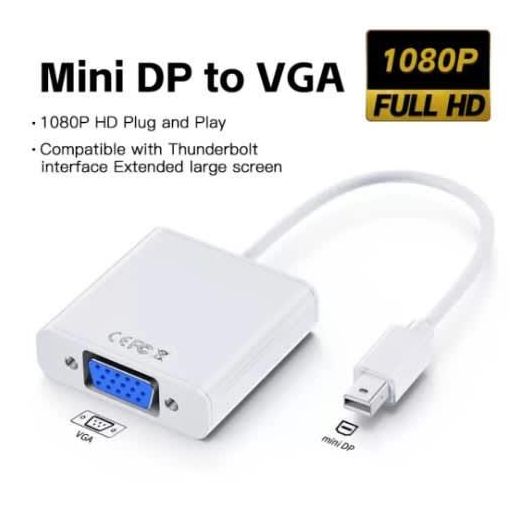
Mini Dp To Vga Female Converter Cable Adapter
₦ 6,999


Apple Mini Display Port To VGA Adapter
4.8 (4)
₦ 8,000


Type C-USB3.0/HDMI/Type C Port Adapter
₦ 14,000


LG 34SR65QC-B 34-inch MyView Smart Monitor Curved WQHD Screen 100Hz with webOS Tilt/Height Adjustable Stand
₦ 875,000
Low Stock


Mini Display Port To HDMI Adapter (Compatible With Apple)
5 (1)
₦ 11,000


HDMI to VGA Adapter Converter for Laptop PC Monitor TV
₦ 4,499

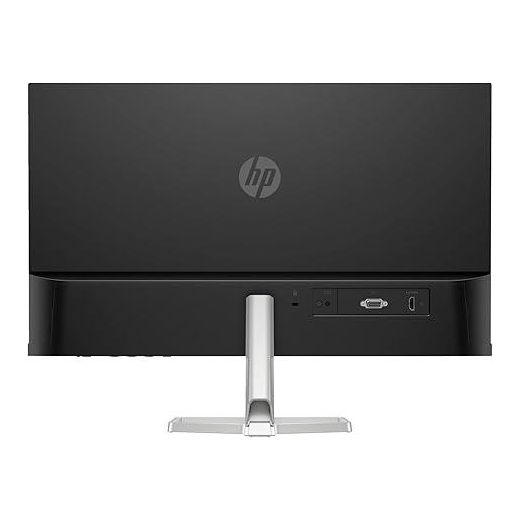
Hp Series 5 527sf 27 Inch FHD Monitor
₦ 330,000
Low Stock
Hp 24 inch FHD Monitor, Full HD Display (1920 x 1080)
5 (1)
₦ 350,000
Low Stock

Type C To Hdmi Adapter (Compatible With Mac)
3 (5)
₦ 9,000

Aoc C32g2ze 32" Curved Frameless Gaming Monitor, Full Hd 1920x1080, Va
₦ 450,000
Low Stock

LG 32SR75U-W 32-inch MyView Smart Monitor
₦ 900,000
Low Stock


DELL C2423H 23.8" Full HD WLED LCD Monitor - 16:9 - Black, Silver
₦ 585,000

Type C To Hdmi Adapter (Compatible With Mac)
₦ 9,500
₦ 19,500
-51%

Hp 527sw Monitor (Replaces Model m27fw) with 75Hz IPS
₦ 325,000
Low Stock


Display Port To Hdmi HDMI To VGA Adapter Cable
₦ 3,899
Low Stock


Mini 3-in-1 Display Port DP To DVI VGA HDMI Adapter Converter
₦ 10,499
Low Stock


Hp Omen 27 Inch Qhd 180hz Gaming Monitor Hdr 400 1ms Gtg Response Time - 27q G2
₦ 540,000
Low Stock
Frequently Asked Questions about computer monitors compatible with mac
How do I choose computer monitors compatible with mac?
Start by confirming macOS compatibility and choosing inputs that match your Mac, ideally USB-C or HDMI without needing adapters. For everyday Mac use, a larger IPS display with 1080p to 1440p resolution delivers sharp text and accurate colors. Look for ergonomic features like height adjust, tilt, and VESA mounting so you can set it up comfortably. If you need extras, check for built‑in speakers or a USB hub to reduce cable clutter.
What is the most important connectivity feature for computer monitors compatible with mac and how do I evaluate it?
The most important attribute is the port combination that suits your Mac workflow, especially USB-C with DisplayPort Alt Mode and power delivery for a clean, single-cable setup. If your Mac uses USB-C, choose a monitor that can charge your laptop while connected; otherwise, plan for adapters for HDMI or DisplayPort. Verify the available inputs and whether there is a built‑in USB hub for peripherals, which helps keep desk cables tidy. Brands like HP and ViewSonic offer IPS displays with multiple inputs, and even portable monitors designed for MacBook often rely on USB‑C for easy connectivity.
Which usage scenario should guide my choice of computer monitors compatible with mac?
Casual home or student use benefits from a larger IPS screen with good readability and budget-friendly 1080p or 1440p resolution. Creative work or photo and video editing demands color accuracy, wide viewing angles, and consistent calibration, so pick an IPS monitor from trusted brands that prioritizes color performance for Mac apps. Consider built‑in speakers and a comfortable stand if you’ll sit long hours at your Mac, and ensure the display supports your daily workflow.
How do I maintain and ensure compatibility with mac after buying computer monitors compatible with mac?
Mount the monitor securely with a compatible stand or VESA kit, and keep cables neatly organized to avoid port wear. Use the right cables for your Mac, preferring USB‑C to USB‑C when possible, and replace adapters with direct connections when you can. Clean the screen with a microfiber cloth and a non‑abrasive cleaner, and periodically check for macOS or monitor firmware updates that improve compatibility. HP and ViewSonic displays typically support standard display interfaces and macOS well when kept up to date.
What setup options and accessories should I consider for computer monitors compatible with mac?
For a desktop Mac workspace, pair an IPS monitor from a reputable brand with a sturdy stand and the right input (USB‑C, HDMI, or DisplayPort) for your Mac. For portability, a compact USB‑C monitor works well with a MacBook to create a versatile dual‑screen setup. Accessories like a USB‑C dock or hub, color‑correct calibration tools, and cable organizers help optimize your Mac workflow with external displays.