HomeAuto duplex scanning printer
Auto duplex scanning printer
(17 products found)
Discover the efficiency and convenience of our auto duplex scanning printer, designed for both home and office use. This advanced printer offers seamless double-sided printing and scanning, significantly reducing paper usage and enhancing productivity. With high-resolution output and fast processing speeds, it caters to all your printing needs while maintaining exceptional quality. Ideal for busy professionals, this printer streamlines workflows and ensures you stay organized. Elevate your printing experience with cutting-edge technology today!

Hp OfficeJet Pro 9730 Wide Format Wireless All-in-One Printer A3 Printer Copy Print Scan
₦ 424,000


Hp DeskJet Ink Advantage 4376 All-in-One Printer With ADF(89G05C)
₦ 165,000

Hp DeskJet Ink Advantage 4376 All-in-One Printer With ADF(89G05C)
₦ 165,000


Hp Smart Tank 720 Wi Fi Duplexer All-in-one Printer
₦ 490,000


Hp Smart Tank 790 Wi Fi All-in-One Printer Duplexer With ADF
₦ 521,000


Hp Smart Tank 790 Wi Fi All-in-One Printer Duplexer With ADF
₦ 560,000


Hp Smart Tank 790 Wi Fi All-in-One Printer Duplexer With ADF
₦ 521,000


Hp OfficeJet Pro 9130 A4 Colour All-in-One Inkjet Printer, Print, Scan Copy Fax
₦ 419,300
Low Stock


Hp Laserjet Enterprise Mfp M430f Monochrome All-in-one Printer With Built-in Ethernet & 2-sided Printing
₦ 950,000
Low Stock


Pantum Mono Laser Multifunction Fax Duplex Wireless Printer - MFP BM5100FDW
₦ 610,000
Low Stock


Canon i-SENSYS MF664Cdw Color Laser Multi-Function Printer, Auto Duplex, Wireless & Ethernet
₦ 690,000
Low Stock
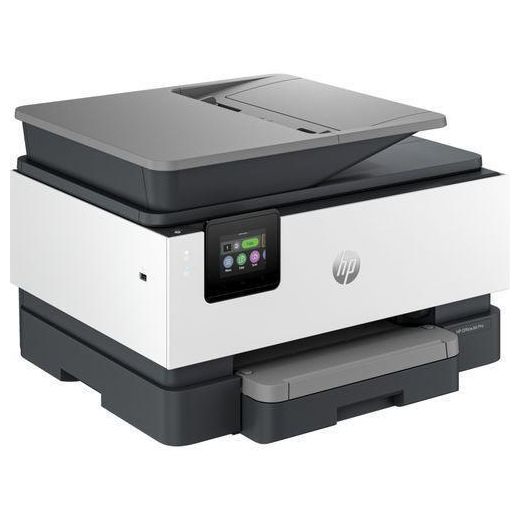

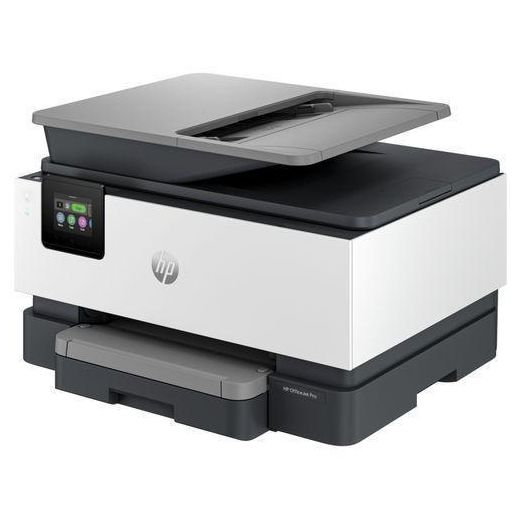
Hp OfficeJet Pro 9123 All-in-One Printer
₦ 369,000


Hp ScanJet Pro 4200 s1, Fast 2-Sided Scanner with auto Document Feeder
₦ 780,000
offers from
Low Stock


Hp LaserJet MFP M236sdn All-in-One Printer
5 (1)
₦ 495,990
Low Stock


Hp Laserjet Enterprise Mfp M430f Monochrome All-in-one Printer With Built-in Ethernet & 2-sided Printing
₦ 950,000
Low Stock

Canon I-SENSYS MF752Cdw 4-in-1 Multifunction Wi-Fi Colour Laser Printer
₦ 950,000
Low Stock


Hp LserJet Enterprise M612dn – Monochrome Duplex Printer – 61ppm – A4 – USB/Ethernet – Automatic Two-Sided Printing
₦ 1,650,000
Low Stock
Frequently Asked Questions About auto duplex scanning printer
How do I choose the right auto duplex scanning printer category for my office or home setup?
Choose the right auto duplex scanning printer by balancing scanning speed, duplex capability, document feeder reliability, and connectivity to fit your workflow. Consider whether you need monochrome or color scans, the required file formats, and software compatibility (TWAIN/ISIS OCR). Also check network options like USB, Ethernet, and Wi‑Fi, since many HP and Brother options in the ScanJet Pro and LaserJet Enterprise lines support shared scanning. Finally, verify the expected workload to ensure you aren’t overpaying for capabilities you won’t use.
What is the most complex attribute of an auto duplex scanning printer, and how should I evaluate it?
The most complex attribute is the scanning capability itself—duplex scanning speed, image resolution, and the reliability of the auto document feeder. Evaluate the spec sheet for pages per minute on two-sided scans, and look for a wide optical resolution range (commonly 600–1200 dpi) and color depth suitable for your needs. Also examine the auto document feeder capacity and whether it supports one-pass duplex scanning for faster batch work. Consider your intended workflows, such as scanning to searchable PDFs or cloud destinations, to choose the right balance of speed and quality.
Should I choose an auto duplex scanning printer for home use or a small office setup?
For light home use, a compact auto duplex scanning printer with reliable wireless connectivity and a modest document feeder is usually enough. For a small office, prioritize higher daily scan volumes, robust network sharing via Ethernet or Wi‑Fi, and stronger security features. HP ScanJet Pro and LaserJet Enterprise lines are common options in this space, as is Brother’s all-in-one ink tank family. Match the device to your expected workload and sharing needs to avoid overpaying or underperforming.
What maintenance and compatibility steps help keep an auto duplex scanning printer running smoothly?
Regularly clean the scanner glass and ADF rollers to prevent feed jams and keep scans crisp. Use genuine consumables and keep drivers up to date for your operating system, ensuring TWAIN/ISIS compatibility with your scanning workflow. Periodically check for firmware updates and security patches, and use appropriate paper types to avoid feed problems. Plan routine maintenance based on your usage to sustain reliable duplex scanning performance.
What features in HP and Brother lines signal strong auto duplex scanning performance?
Look for models within HP’s ScanJet Pro or LaserJet Enterprise families that include built-in auto document feeders and automated two-sided scanning. Wireless connectivity, reliable ADF operation, and scanning to cloud or network folders are key indicators of robust performance. Brother’s all-in-one ink tank printers also emphasize easy maintenance and dependable duplex scanning for home offices and small teams. Choose a line that matches your expected scan volume and workflow.
How can I ensure a printer supports my preferred file formats and operating systems when shopping for an auto duplex scanning printer?
Check for TWAIN/ISIS driver support and compatibility with common file formats like PDF, searchable PDF, PNG, and JPEG. Ensure the device works with your operating systems (Windows and macOS, and any others you use) and supports scanning to email, network shares, or cloud services. Confirm there are ongoing driver updates and security features to keep your workflow smooth and secure. This helps you integrate the printer into a modern, multi-user environment.