HomeHome & OfficeTools & Home ImprovementHardwareDoor Hardware & LocksVINTAGE STAR FINGERPRINT SMART PADLOCK (74MM X 46MM) - SILVER
/product/82/4649783/1.jpg?6078)
/product/82/4649783/2.jpg?6078)
/product/82/4649783/3.jpg?6078)
/product/82/4649783/4.jpg?6078)
/product/82/4649783/5.jpg?6078)
/product/82/4649783/6.jpg?6078)
/product/82/4649783/7.jpg?6078)
/product/82/4649783/8.jpg?6078)
Share this product
₦ 10,100
₦ 25,00060%
Few units left
+ shipping from ₦ 750 to LEKKI-AJAH (SANGOTEDO)
4 out of 5
(3 verified ratings)Variation available
Promotions
Delivery & Returns
Choose your location
Pickup Station
Delivery Fees ₦ 750
Ready for pickup between 22 October and 23 October if you place your order within the next 3hrs 18mins
Door Delivery
Delivery Fees ₦ 1,550
Ready for delivery between 22 October and 23 October if you place your order within the next 3hrs 18mins
Return Policy
Free return within 7 days for ALL eligible itemsDetails
Seller Information
Nigeriana International
88%Seller Score
146 Followers
Seller Performance
Shipping speed: Good
Quality Score: Good
Customer Rating: Good
Cancellation Rate: Excellent
Product details
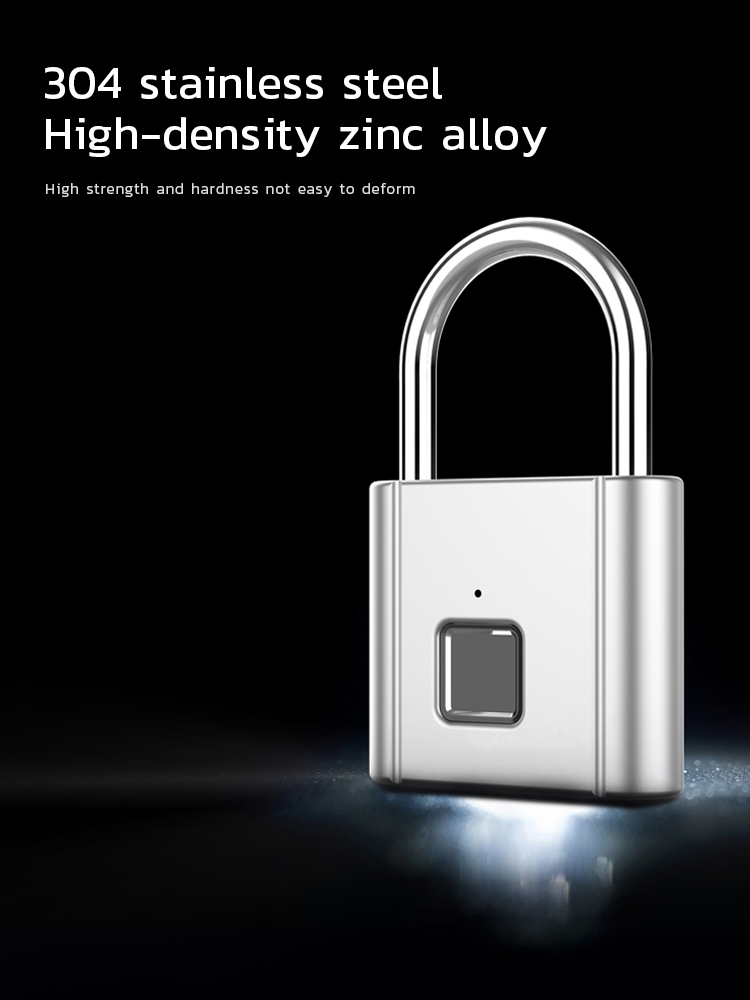
VINTAGE STAR FINGERPRINT SMART PADLOCK (74MM X 46MM)
Specifications
| Unlock method | Fingerprint |
| No. of fingerprints | 10 |
| Charging type | Micro-USB |
| Emergency unlock | Mos code |
| Standby time | 6 months |
| Raw material | Zink Alloy |
| Dimension | 13 x 46 x76 mm |
| IP grade | IP54 |
| Working temperature | - 10 ̴ 50oc |
Register initial 2 fingerprints
The default setting can unlock with any fingerprint. While only the registered fingerprint can unlock once setup.
- Unlock the lock with any fingerprint. Then, press and hold till the blue light is on.
- Register fingerprint: Press the same finger on different position time by time till the green light is on (Change another position to press if the red light is on).
- Register another fingerprint at the same way of step 2 till the green light is off, which means two fingerprints are successfully registered.
Register new fingerprints
- Unlock the lock with fingerprint and hold till the blue light is on.
- Press the fingerprint time by time till the blue light is off.
It will be exited the system if over time during the registration. Follow the above steps to restart the process.
Emergency code setting (Morse code)
Once the fingerprint is registered. Unlock the lock and hold the finger, the blue light will be on, continue hold the finger until the white light is on. Release the finger, the green light is on. Press the finger time by time and count numbers (for instance, press 5 times means 5) set the times and numbers you want and wait till the blue light is on. Once the blue light is on, follow the same process to register the second digit (for instance, press 6 times means 6) then wait till the blue light is off. Once the light is off, the number set in green light and blue light will be a two digits code (for instance, 56 set up in step 2 and 3). please do remember the code you set.
Emergency code un lock (Morse code)
- On the only condition that all your registered fingerprints failed to un lock, use any fingerprint to press and hold till the white light is on. Emergency code un ock (Morse code)
- The green light is on once release the finger. Press the times you preset (for instance ,5) and wait till the blue light is on.
- Once the blue light is on, press the times you preset (for instance ,6) and wait till the light is off.
- It means the code is wrong if the red light is on and flickering. While the green light is on and flickering means the code is correct.
- The lock will be un locked if the code is correct and the lock will be in factory default mode. You need to register the fingerprint to use the lock.
- Please use default emergency code 33 (green light press 3 times and then blue light press 3times) to un lock if you did not set the emergency code. The default emergency code will be inactive if you set your emergency code.
Restore factory default settings
- Unlock the lock and hold the finger , ignore the blue light and white light and release till the red light is on.
- All registered fingerprints and Morse codes will be cleaned and restored factory default settings.
Low power warning
- When the red light is flickering after un locked, means the voltage is low and needs to be charged.
- Plug in the charging line, the red light is on and charging is in progress.
- When the red light is off, it is fully charged.
When you get the product, please fully charge before using
CHECK OUT OUR STORE FOR MORE PRODUCTS
Specifications
Key Features
- Unlock method: Fingerprint
- Brand: VINTAGE STAR
- No. of fingerprints: 10
- Charging type: Micro-USB
- Emergency unlock: Mos code
- Standby time: 6 months
- Raw material: Zinc Alloy
- Padlock Package Size: 11.4cm*7.7cm*2.3cm;
- Padlock Size: 7.6cm*4.6cm*1.4cm;
- IP grade: IP54
- Available Colors: SILVER
- Working temperature: - 10 ̴ 50oc
- Low battery alarm: 3.5V;
- Full charging time:1-2 hours;
- Standy Time: 6 Months;
- LED light: Three color light: red / blue / green;
- Battery: 3.7V lithium battery;
Specifications
- SKU: GE779IP6BPJV6NAFAMZ
- Product Line: Nigeriana International
- Model: VINTAGE STAR FINGERPRINT SMART PADLOCK
- Weight (kg): 0.3
- Color: SILVER
- Main Material: Zink Alloy
Verified Customer Feedback
See AllVerified Ratings (3)
4/5
4 out of 5
3 verified ratings
Comments from Verified Purchases(0)

Customers who have bought this product have not yet posted comments
Related results
Sliding door lockHome door lockGaiz door lockFace recognition door lockDeadlock door lockHouse door lock cylindersFront door automatic locksRemote control door lockDoor hardware alarm padlockDoor knob lockAutomatic door bolt and lockGate locksHotel lockAir lockLocks for luggageNight lockDoor stoppageToilet doorsLock strapButterfly locksDoor sweeperDoor organizerFridges with locksCase with lockCabinets hardwareWindow locksHisense fridge with lockLock nutsHinges and locksWood door
/product/82/4649783/1.jpg?6078)
VINTAGE STAR FINGERPRINT SMART PADLOCK (74MM X 46MM) - SILVER
₦ 10,100
₦ 25,00060%
Questions about this product?